New Docker install, files in the chat, a live demo →

The assistant that works while you don't.

ChatGPT answers when you ask. Mav notices things, decides what deserves your attention and gets it done. On your machine, with the model you choose.

  • Open source · MIT
  • Any model, even local
  • No account, no telemetry
Remembers what matters to you Comes to you, only when it counts

Bring your own model, from the cloud or your own hardware

AnthropicOpenAIOllamaOpenRouterMistralGoogle GeminiGroqDeepSeekLM StudioxAITogethervLLM
The film

Meet Mav in 46 seconds.

What it does, how it feels, and why it stays on your machine.

Proactive, not noisy

It doesn't just answer. It acts.

Three layers keep Mav useful without turning it into a nag.

01 — It notices

Triggers that fire on their own

On a schedule — daily, weekly, monthly or every few hours. On an event from another service. Or only when a condition is met.

  • Say it in a chat, in English, French or Spanish
  • Start from a ready-made template
  • Snooze any routine without losing it
02 — It decides

Every alert is ranked

Mav only interrupts you when something clears the bar you set. Everything else waits in one calm daily recap.

  • Quiet, Normal or Chatty, per routine
  • Conditions like “only if it rains”
03 — It does

Drafts and background work

When a reply is needed, Mav writes it for you to review. Long tasks run in the background and come back when they're done. The chat stays yours.

  • Copy, send or discard a draft in one tap
  • Files land in the chat as download cards
The app

Familiar on day one. Yours by day three.

A clean chat app for your computer and your phone, installable as a PWA.

mav.home:8787
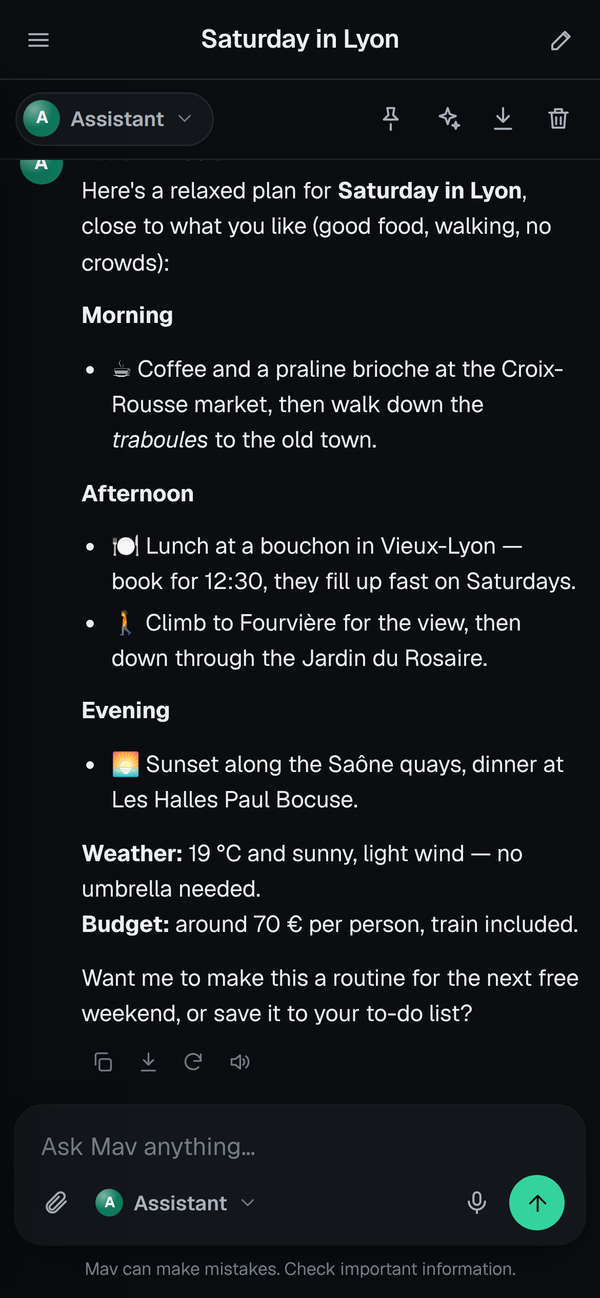
Mav home screen with the For you list A chat in Mav with tool steps The routines page The memory page

For you, first thing.

Reports and alerts wait on the home screen. Tap “Tell me more” to pick up the thread.

Mav on a phone
Everything included

An assistant for everyday life.

It answers when you ask, and gets things done when you don't.

A briefing every morning

The weather where you live, what happened overnight, and what needs you today, in one short message at the time you choose.

☔Showers after 4 pm. Take an umbrella.07:30
📬3 emails need you. One draft is ready.07:30
✈️Lisbon fare dropped to 89 €.07:30

It remembers you

Your city, your diet, your projects. See and edit every fact on the Memory page.

Helpers with a speciality

A Researcher, a Writer, a Planner and Money step in when it helps. You see who answers.

Files, right in the chat

“Make me a CSV of my subscriptions.” Mav writes it and hands you a download card.

Keeps an eye on things

A web page, a price, a news topic. You hear about it only when something changes.

No surprise bills

See what each chat and routine costs, and set a monthly budget.

Comes to you

Push notifications on your phone, and a For you list on the home screen.

Connections

Web pages, a browser, search, Notion, Home Assistant, GitHub. Paste a key.

Private by design

Chats, memory and routines stay on your machine. With a local model, nothing leaves home.

Any model, no terminal

Claude, GPT, Ollama, OpenRouter… Switch from Settings: paste a key, pick from the list.

Install

Running in three steps.

A home server, a mini PC, a NAS or a VPS. Docker on anything, or the installer on Debian, Ubuntu, Arch and Fedora.

  1. Start itOne command. Images for amd64 and arm64.
  2. Open the appChoose a password. The welcome screen connects your model.
  3. Let it workPick a few routines. Your first briefing arrives right away.
Read the install guide →

          
1command to install
0accounts or telemetry
5helpers built in
MITyours to keep and change

Give it a home.

Open source, MIT-licensed, yours to keep.

docker compose up -d
Read the docs